Free monthly budget spreadsheet: plan the month, see what's left
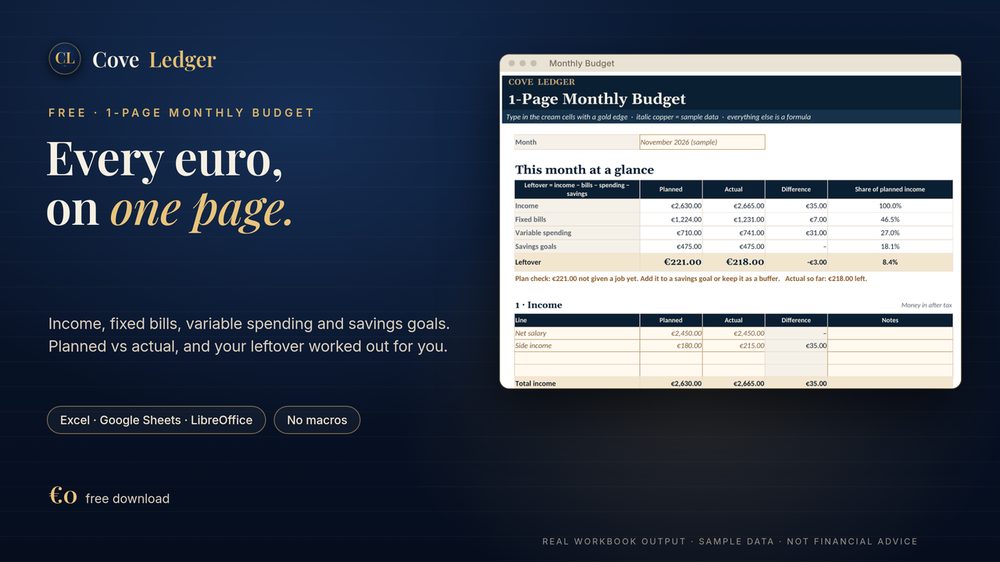
Most budgets fail because they're too big to keep up with. This one is a single page for a single month. Write down what comes in, your fixed bills, your everyday spending and what you want to put aside. The sheet adds it up and shows what's left over, planned and actual, side by side.
Download it freeWhat's on the page
- Income (4 lines), fixed bills (8), variable spending (9) and savings goals (5), each with Planned, Actual and Difference.
- Each section as a share of your income, so you can see your split at a glance.
- Your leftover: income − bills − spending − savings, plus a one-line plan check that tells you if you've over-planned.
A sample month
The file comes filled with a made-up example so you can see every formula working before you type anything:
| Section | Planned | Share of income |
|---|---|---|
| Income | €2,630 | 100% |
| Fixed bills | €1,224 | 46.5% |
| Variable spending | €710 | 27.0% |
| Savings goals | €475 | 18.1% |
| Leftover | €221 | 8.4% |
Sample data, not a recommendation. In this example €221 has no job yet. The sheet says so, and you decide: savings goal or buffer.
How to use it
- Clear the sample figures (italic copper, easy to spot).
- Type your own lines and planned amounts at the start of the month.
- Fill in Actual as the month goes. Totals, differences and leftover update by themselves.
- Next month, duplicate the sheet.
Works in Excel 2016+ / Microsoft 365, LibreOffice Calc and Google Sheets (File → Import). No macros, no add-ins.
Get the free spreadsheetWant the whole year?
The Annual Budget & Net Worth workbook (€14) tracks every month, your bills, debts, savings goals and net worth in one file.